
The platform
Dispatch, drivers, and the client — connected.
Most operators are running a booking spreadsheet, a group text, and a tracking app that loses the car. FareeWay replaces all three. The dispatcher works one board, the driver works one app, and your client gets one link — and everything they each see is the same run, updating at the same time.
Dispatcher dashboard
The office side, in a browser.
Runs at app.fareeway.com. Nothing to install, nothing to keep updated, and it works on whatever machine is on the desk.
Dispatch
Every active and scheduled run, as cards or on a live map.
New booking
Build a run in one form: client, pickup, dropoff, time, driver.
Drivers
Your roster, who is on duty, and who is free for the next pickup.
Contacts
Your repeat clients, saved. Stop retyping the same airport run.
Reports
Pull what you ran and when, without building a spreadsheet.
Activity
A running log of what changed on every trip, and who changed it.
Dispatch board
Every run on one board.
Cards when you want the list, map when you want the picture. The numbers that matter sit at the top of the screen all day, and the live map shows you where each car actually is.
- Cards or map, toggled per view
- On the road, scheduled, drivers on duty, completed today
- Live satellite map, updating every few seconds
- Today, tomorrow, or the whole week
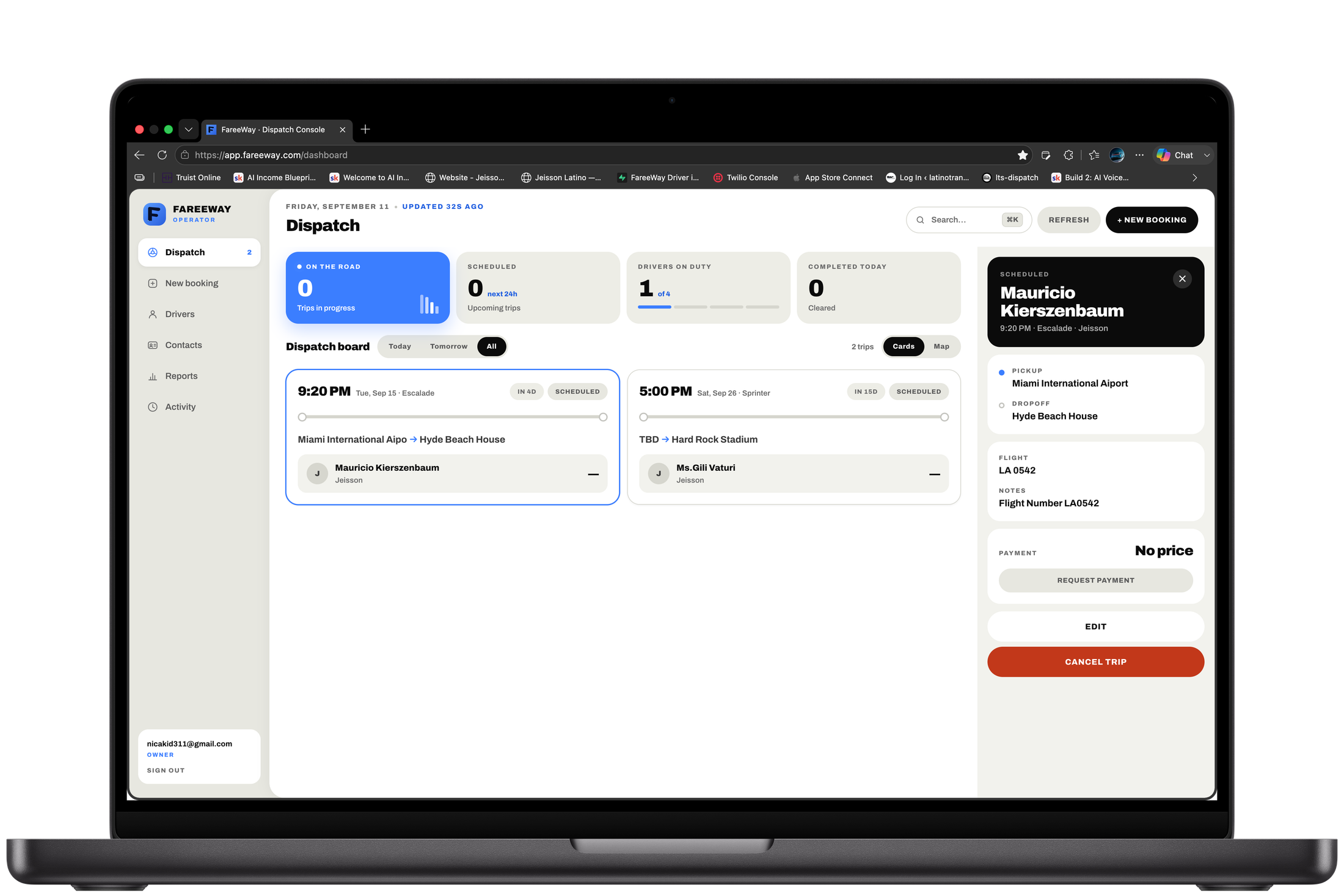
Trip detail
Open a run, see everything.
One panel carries the whole job, so nobody has to call the office to ask a question the office already answered.
- Pickup and dropoff
- Flight number for airport runs
- Client notes
- Payment, with a request-payment action
- Edit or cancel without calling anyone
Driver app
What your driver carries.
FareeWay Driver is on the App Store and free for every driver you add. They sign in, flip themselves on duty, and the runs you dispatch appear.

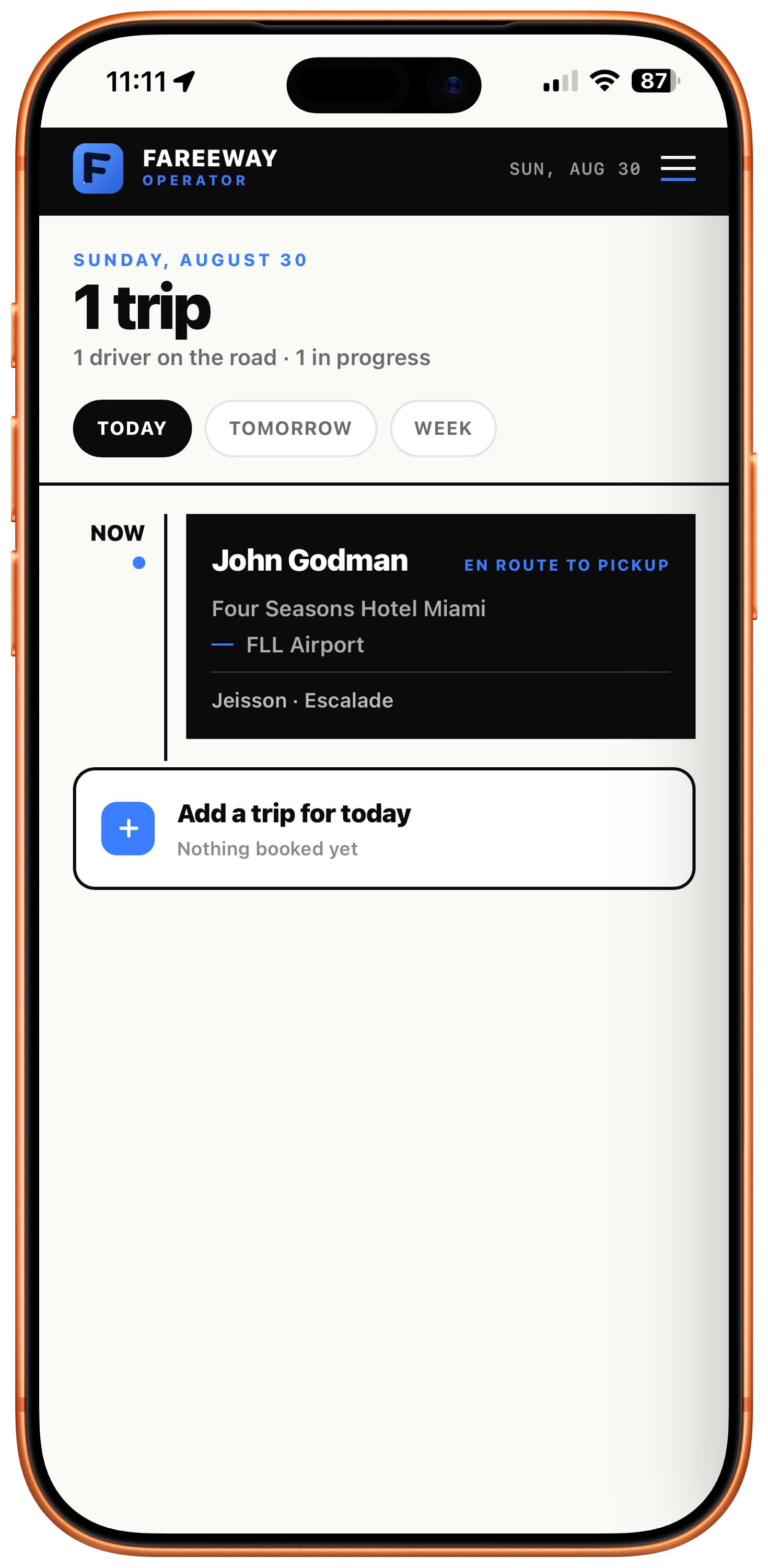
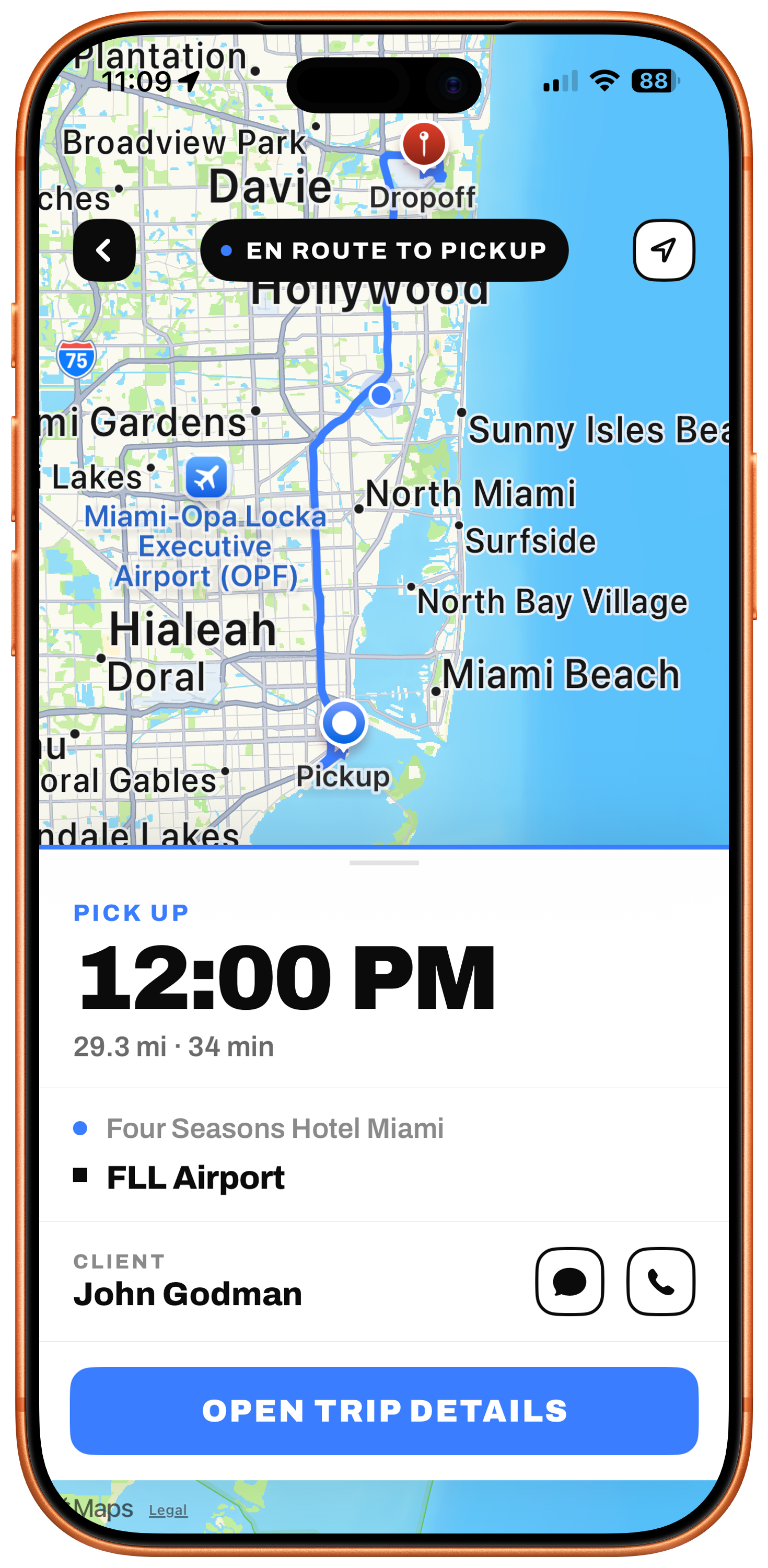
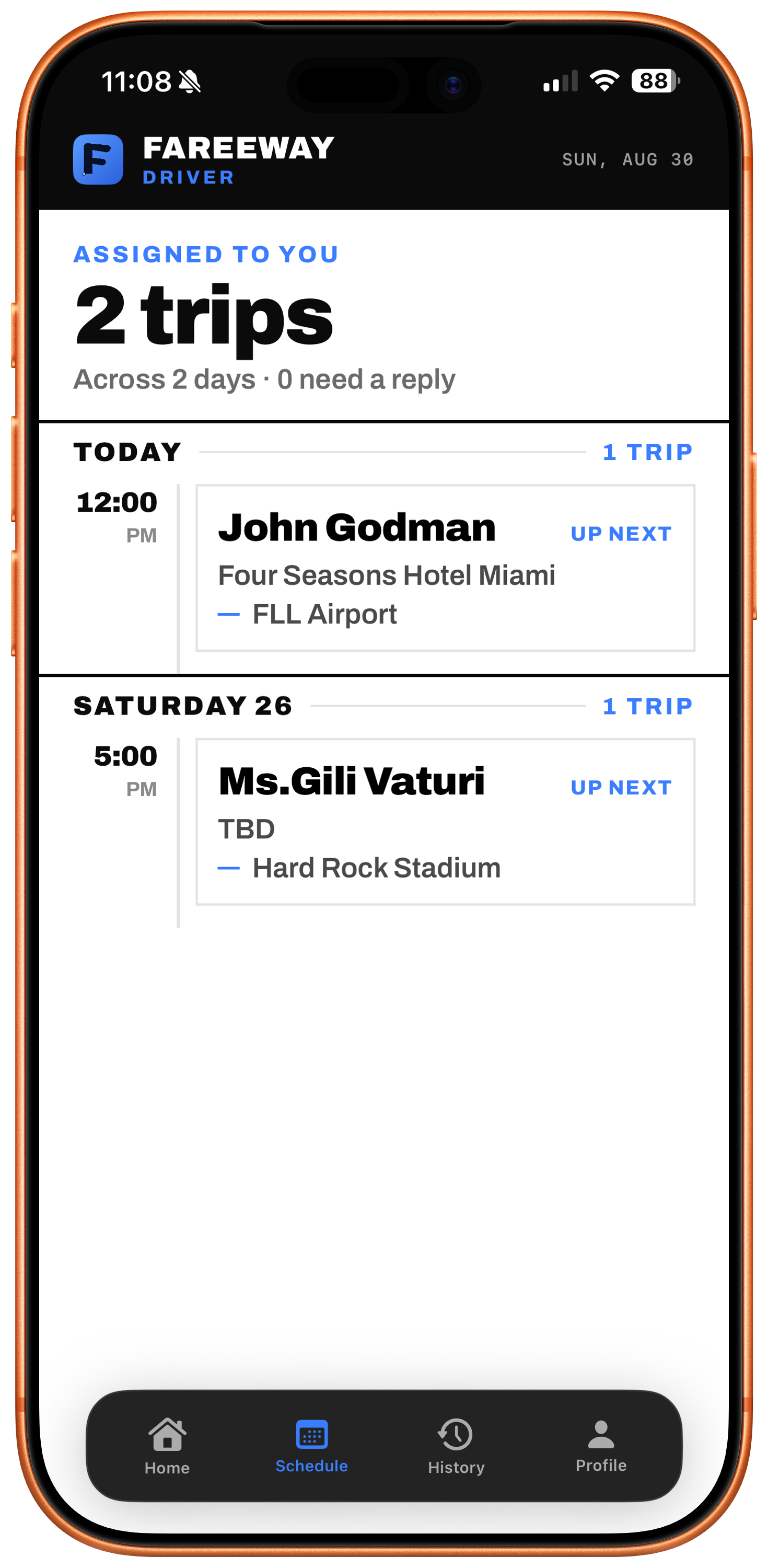
Their whole day, before they turn the key.
Every run you dispatch lands on the driver's home screen and schedule the moment you send it — client name, pickup address, and timing, all visible before they get in the car.
- Today's runs on the home screen
- The full schedule, grouped by day
- Turn-by-turn to the pickup
- Call or message the client without leaving the app
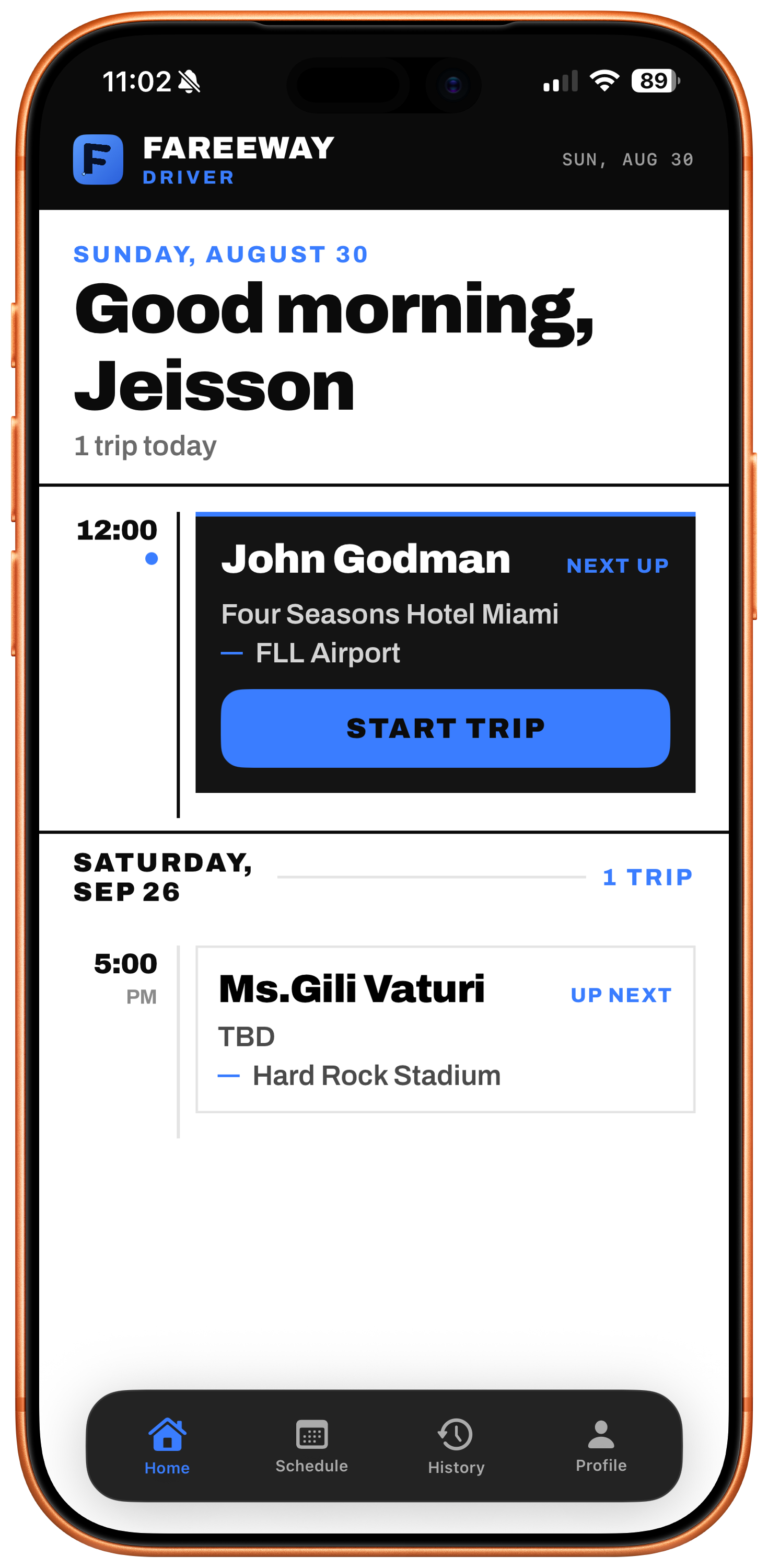
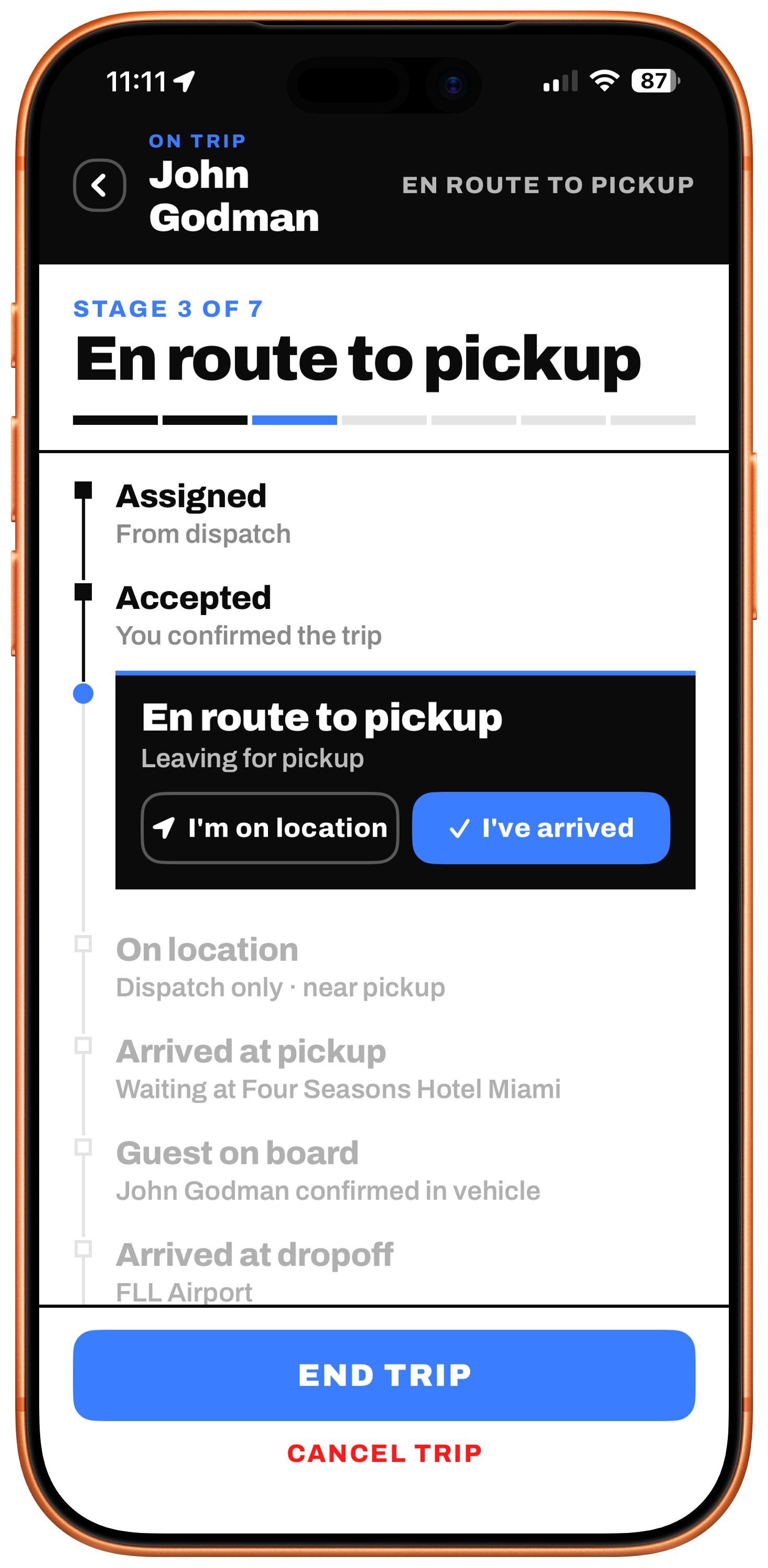
Seven stages, assigned to complete.
The driver moves the run forward stage by stage — accepted, en route, on location, passenger on board, dropped off. Dispatch sees each step as it happens, so nobody has to call and ask where things stand.
- Seven stages from assigned to complete
- Dispatch sees each change in real time
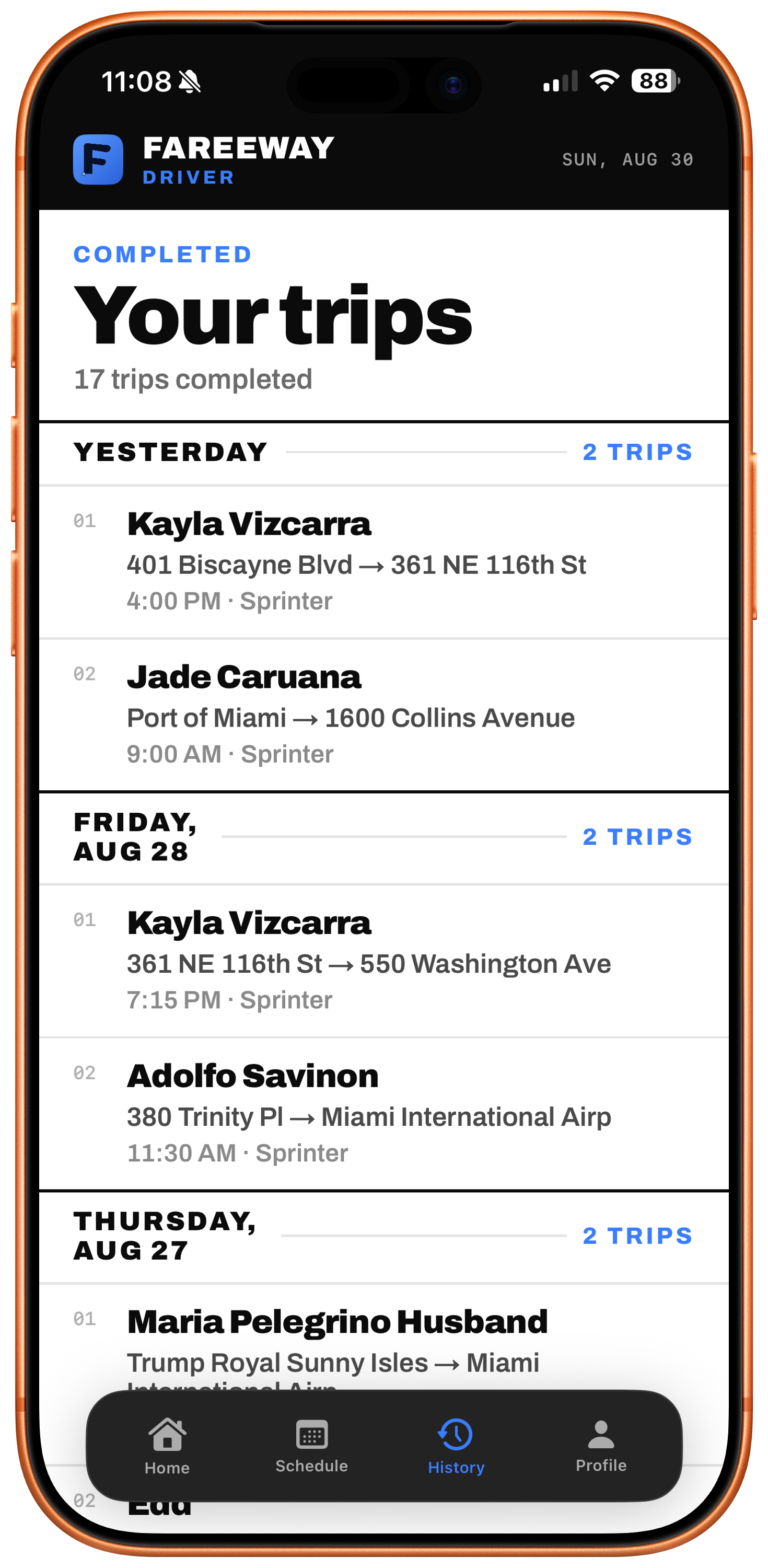
- Every finished run stays in history with its route and times
Drivers manage their own availability.
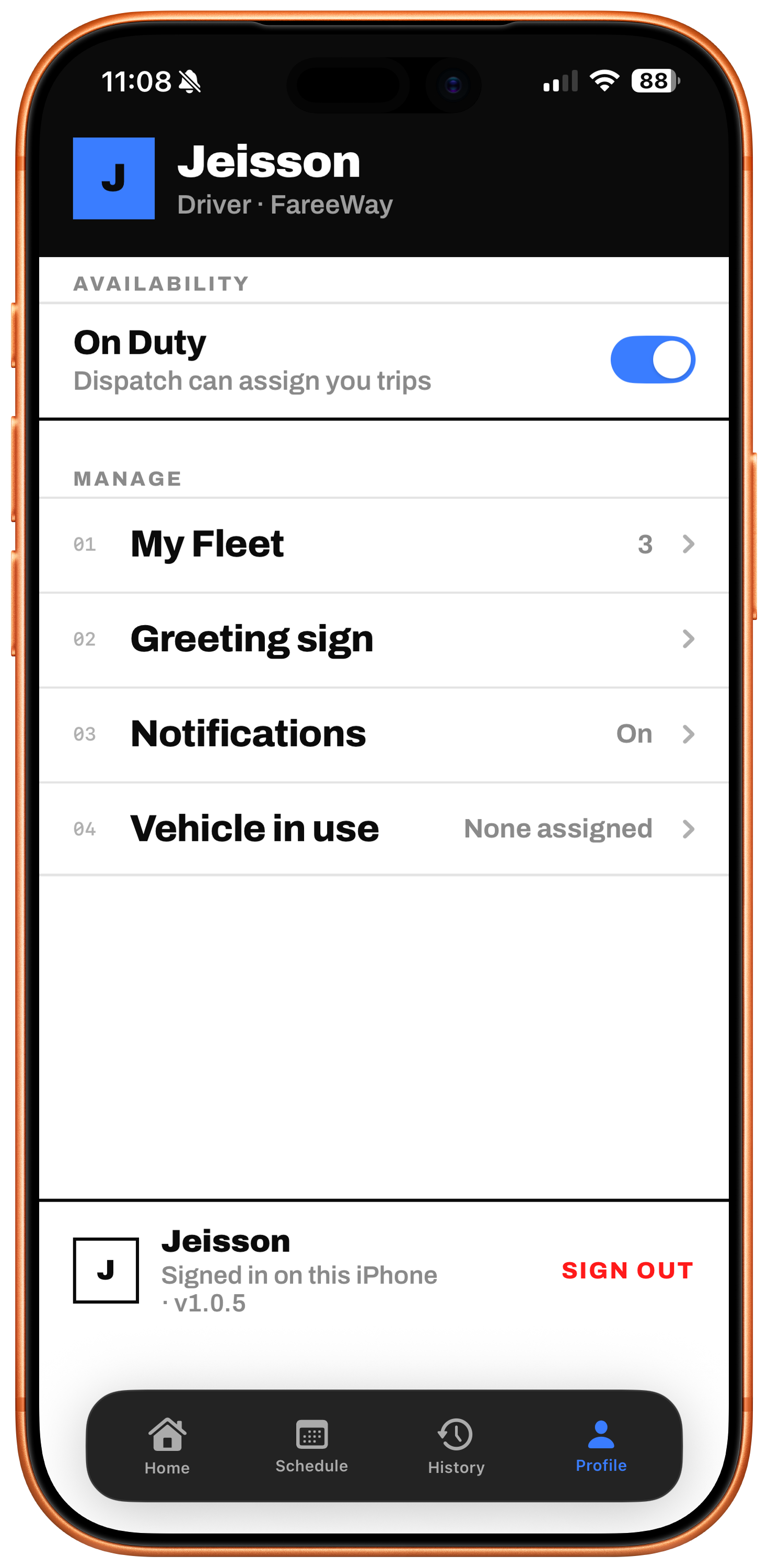
An on-duty toggle tells dispatch who can take work right now, so you are not assigning a run to someone who finished four hours ago.
- On-duty toggle the office can see
- Their fleet and the vehicle in use
- Notification preferences
Client experience
Send your client a link, not an apology.
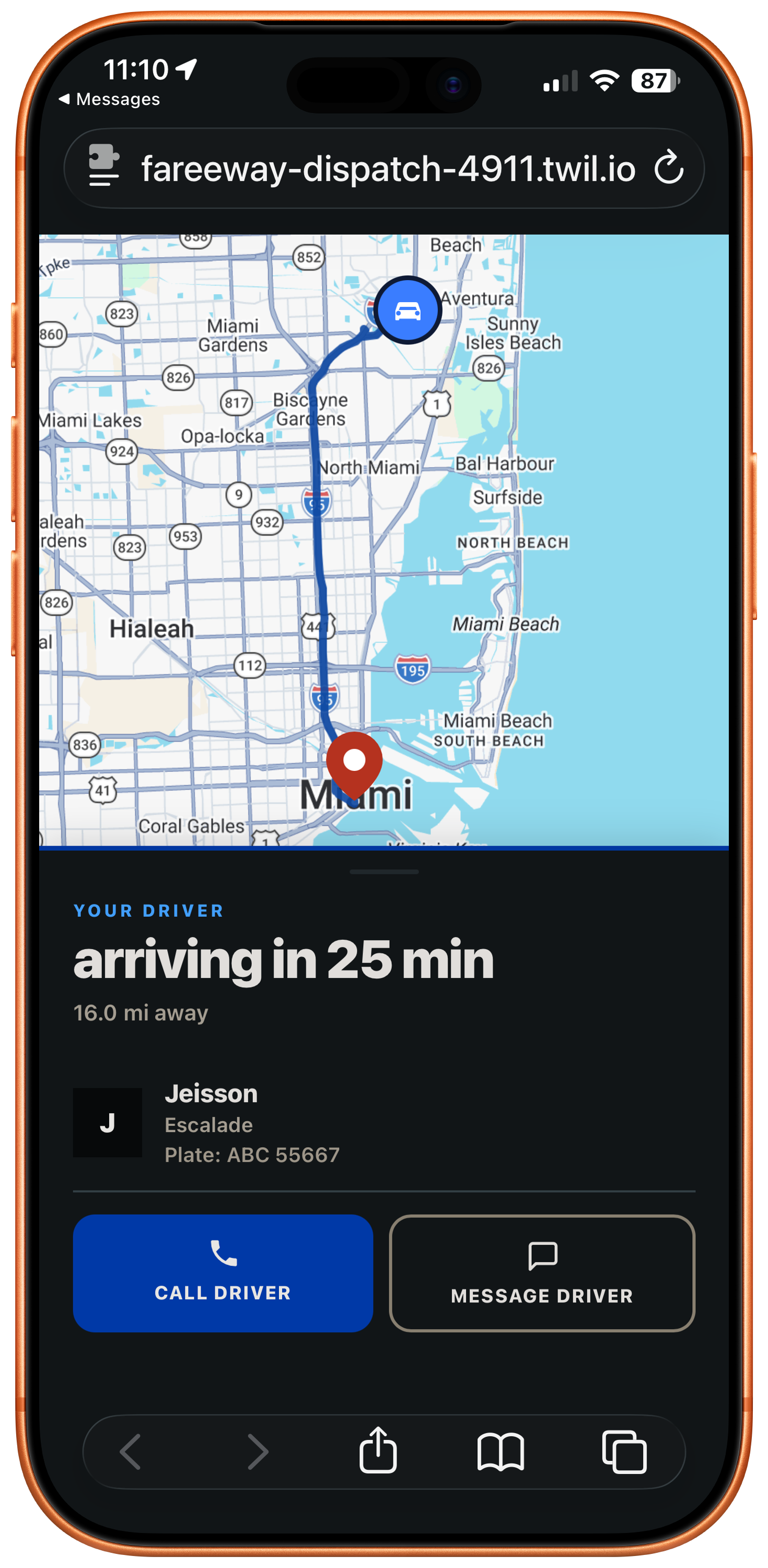
Text the tracking link and your client watches their car approach with a live ETA, the driver's name, the vehicle and the plate. No app to download, no account to make.
- Opens in any browser
- Live ETA and distance
- Driver name, vehicle and plate
- Call or message the driver from the page
Why it is different
Tracking that doesn't quit when the phone locks.
Other dispatch tools lose the driver the moment their screen turns off — leaving your dot frozen while a VIP client is en route. FareeWay tracks continuously, locked phone or not, so your dispatcher always has a live location on every run. When your client opens their tracking link, they see exactly where their car is — not where it was thirty seconds ago.
See it running on a live fleet.
Book a demo and we will walk your dispatch day on a real board.